.png?width=180&height=49&name=Wibbi_Primary-FullColour%20(4).png)
Watch this Video Tutorial
To begin, go to the Episode of Care Section located inside the Client Profile.
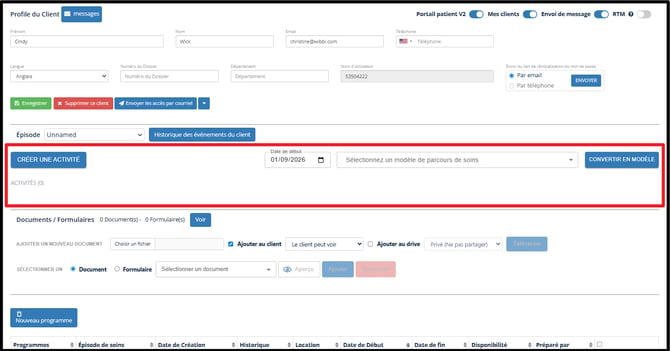
In this section you have the ability to create and manage activities. These activities will become the care pathway for this patient. A group of activities can be also saved into a Care Pathway Template and assigned to other patients.
Every resource including home exercise programs, documents and forms assigned to your patient will have a corresponding activity in their care pathway.
Custom activities can also be created like take a walk, read an article, or watch a video.
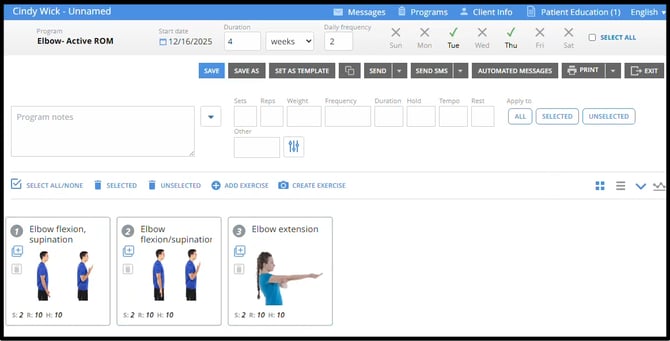
When creating a home exercise program you will be able to set the following:
- Program Name
- Start Date
- Program Duration
- Daily Frequency
- Days of the Week
An activity has been created in the care pathway for the home exercise program in the client profile. The start date for the activity appears on the left and a slider allows you to scroll left and right to view the timeline.
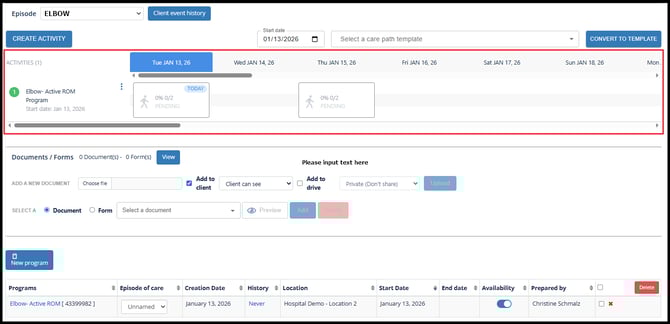
The table at the bottom of the page has additional information related to the home exercise program activity. Click the date or the word Never that appears under the History Column to view the patients portal activity and to view the program sent log.

Home exercise programs will remain as Resources in the patients portal until the availability is toggled OFF; however, the program will remain viewable until the activity recurrence has ended.
Finish building the pathway by adding other activities.
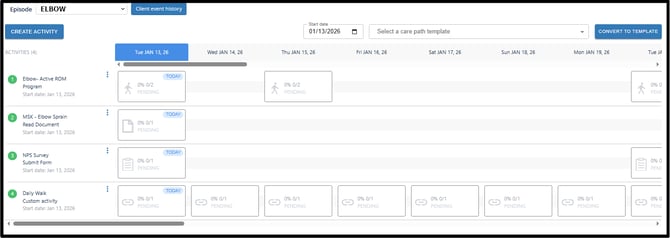
In this example pathway we have 4 different activities.
- Home Exercise Program
- Educational Document
- NPS Survey
- Daily Walk
Choose Documents and Forms from the file tool inside the client profile. Wibbi offers a wide variety of Patient Education Documents and Standard Outcome Measure Forms. Upload documents into the library and reach out to Wibbi form timelines on requesting additional forms.
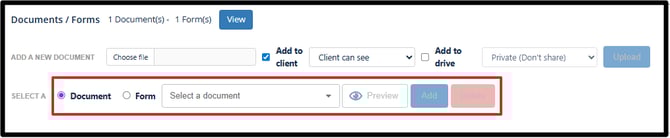
When adding activities, set the repeat pattern or recurrence.
ONE TIME ACTIVITIES
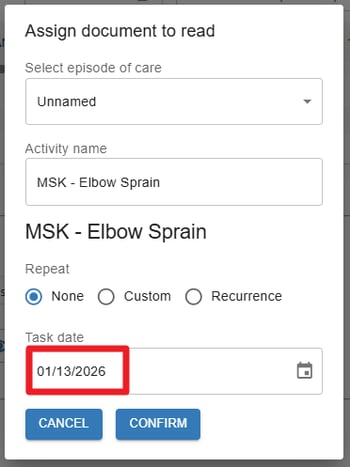
Activities can be set to occur once on a specific date.
RECURRING ACTIVITIES
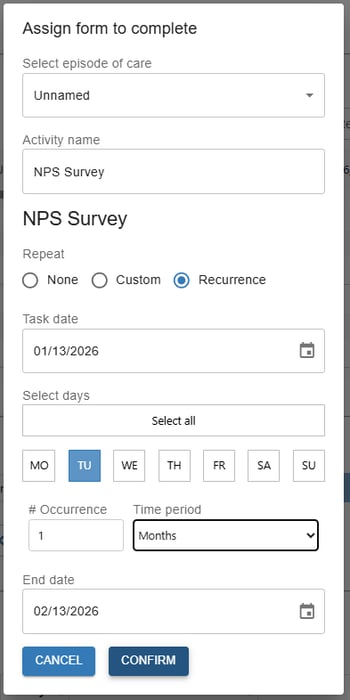
Activities can be set to occur on specific days during a repetitive recurrence pattern such as weekly for 4 weeks every Tuesday.
CUSTOM RECURRENCE
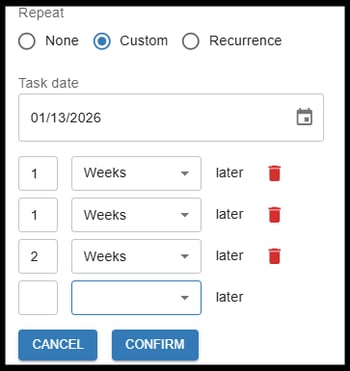
Activities can be set to repeat with a custom pattern that may change over time.
Send Portal Access

Send access by email and/or sms text message to the patient to their portal via the client profile screen.
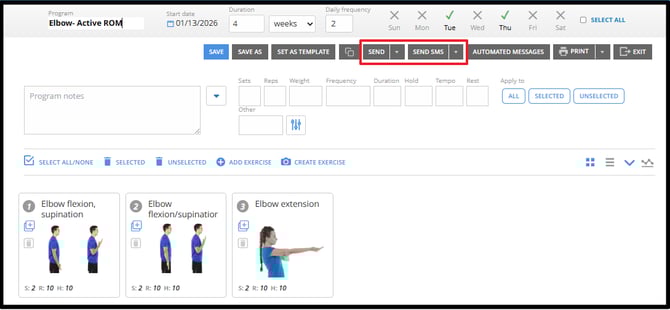
Or home exercise program editor screen.
If you are an existing customer and would like to be an early adopter to our new care pathways feature, reach out to christine@wibbi.com.