.png?width=180&height=49&name=Wibbi_Primary-FullColour%20(4).png)
In addition to Wibbi's multi-disciplinary library, you can also easily upload your own custom exercises.
Video Tutorial
Use your own pictures and videos or your favorite YouTube and Vimeo links to build custom content for your patients.
Create an exercise from the Program Page
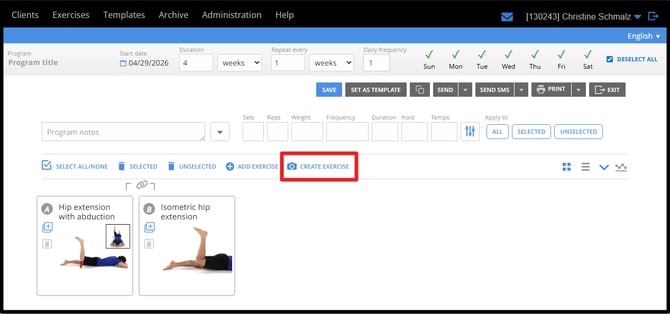
Create an exercise while building a home program. If you create an exercise this way, it will automatically be added to your current program once the exercise is saved.
Create an exercise from the Exercise menu Dropdown
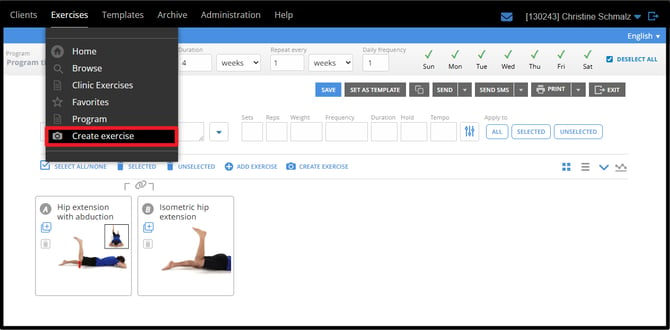
You can also create an exercise anytime from accessing the option in the main Exercise Menu.
Custom Exercises are Saved in the Archive
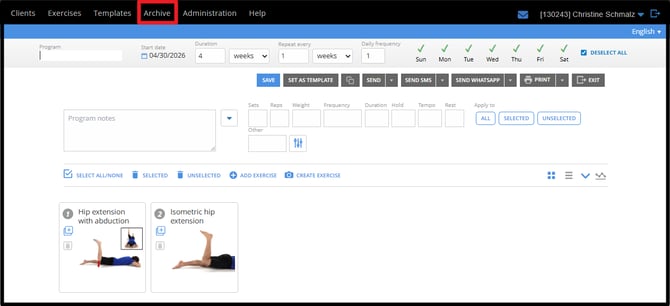
Once an exercise has been created, it will be saved and stored in the Archive so you can easily find it and edit it later.
Create a Custom Exercise
From the Exercise Creation Page complete the TEXT, MODULES and MEDIA sections.
TEXT
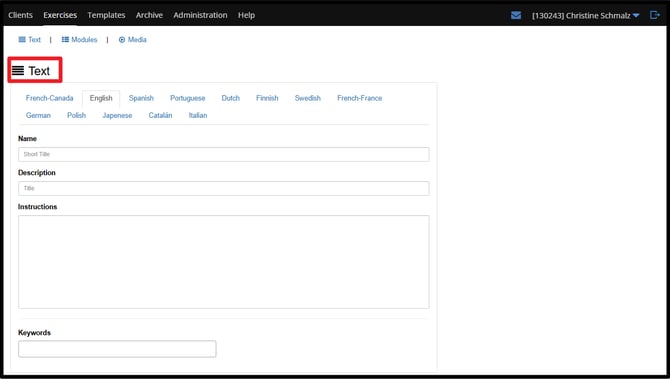
Under the Text Section enter the following:
- Name - Short Title
- Description - This text serves as a floating description in the exercise library
- Instructions - Details on how to perform the activity
- Keywords - The search terms you will use to keyword search this content within the library. Special words like your name can be used to filter quickly to find your custom content.
MODULES
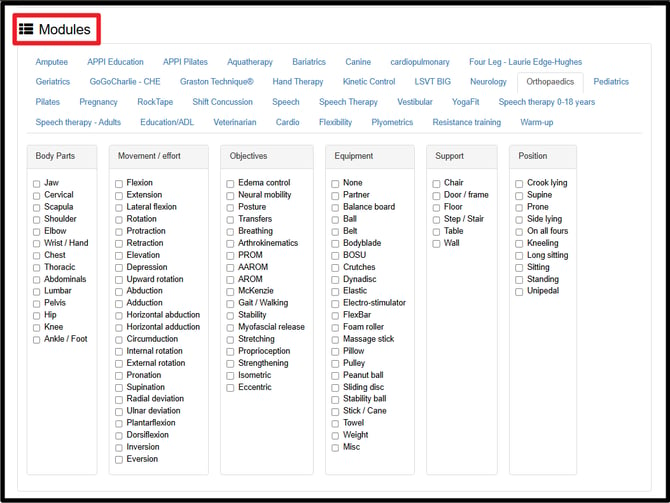
To categorize your exercise within the library, choose at least 1 Module and checkbox from the available filters.
You will now be able to find your content in the library by keyword or filter boxes searches.
MEDIA
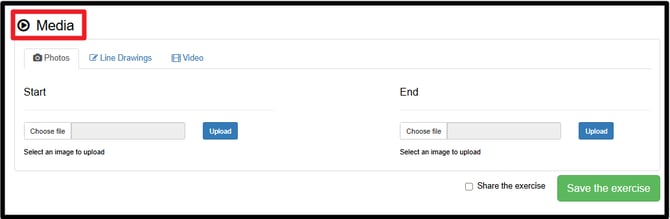
The media section allows you to upload your own pictures, line drawing and video files. Every exercise has a starting and ending position photo. The starting position photo will be the visual thumbnail for this custom exercise when searching in the exercise library.
Line Drawings are not automatically generated but can be attached if you already have the files.
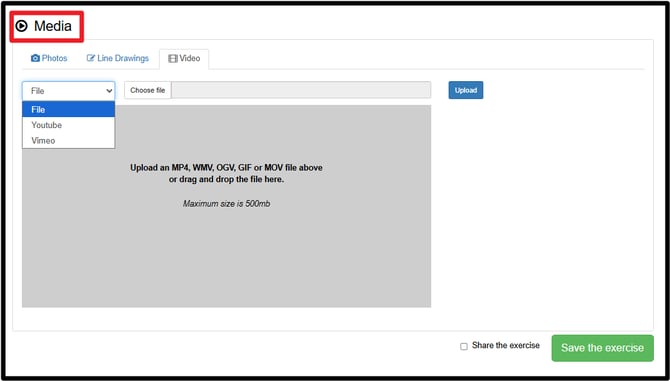
Under the Media Section header you have 3 tabs.
- Photos
- Line Drawings
- Video
Make your way over to the Video tab and click on the dropdown menu beside the FILE option. You have the option to upload a file from your computer by clicking choose file > Upload or you can switch to YouTube or Vimeo to paste a video link.
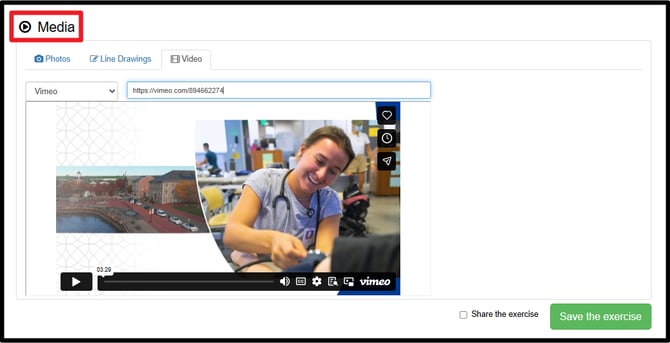
Video links will automatically generate a thumbnail so no additional images are necessary on the Photos tab.
Make sure to click the green SAVE THE EXERCISE button add this exercise in your library. Check the SHARE THE EXERCISE tick box to share this exercise with other professionals in your organization.
To edit your exercises in the future go to ARCHIVE
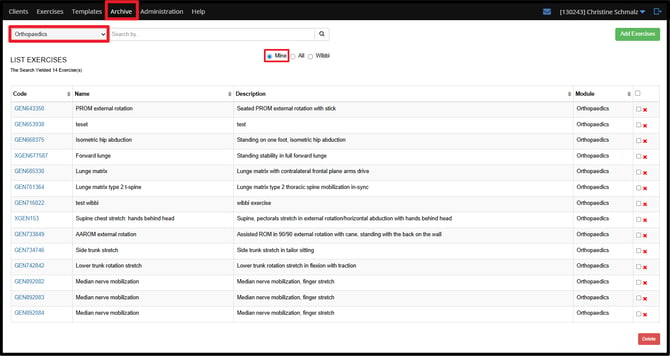
To find the exercise you would like to edit make sure to select the appropriate module from the list and toggle the list option to MINE.
If you have questions or need additional support reach out to our team at support@wibbi.com.