.png?width=180&height=49&name=Wibbi_Primary-FullColour%20(4).png)
Video Tutorial
You can now access the exercise tracking set up directly from the program edit page in Wibbi allowing you to integrate patient tracking into your standard workflow more efficiently.
Why Tracking Data Matters
-
Collect more relevant patient feedback
-
Support better exercise progression decisions
- Improve follow-up conversations with patients
Step 1 - Go to the Program Editor Page in Wibbi
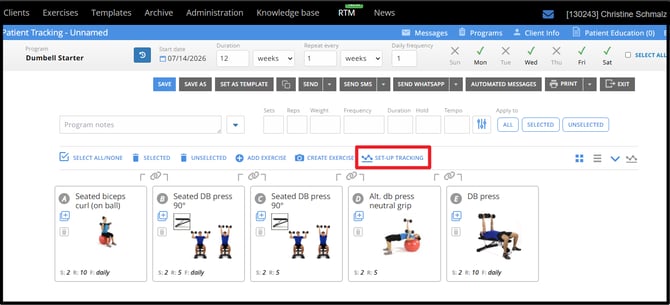
From the program editor page, build your home program as usual and SAVE.
Once the program is saved click on the SET-UP TRACKING button in the menu above the exercises in your program.
Step 2 - Customize Tracking Parameters
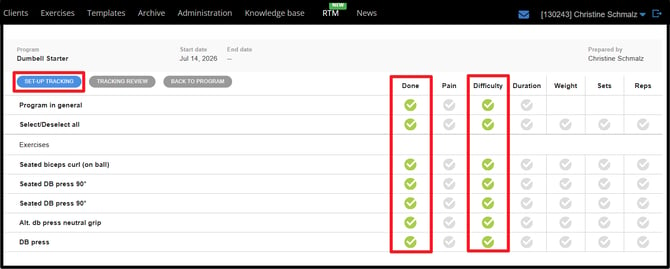
DONE and DIFFICULTY are set by default on all programs.
Tracking Options Include:
- DONE
- PAIN
- DIFFICULTY
- DURATION
- WEIGHT
- SETS
- REPS
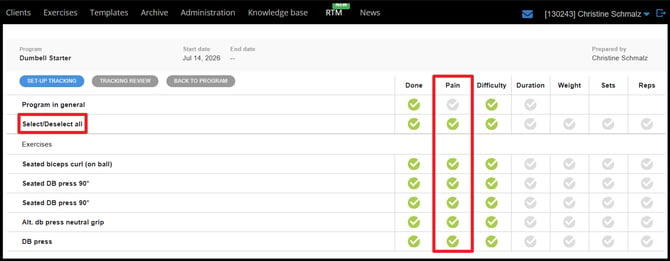
Use the Select All option to apply a new parameter to all exercises at once.
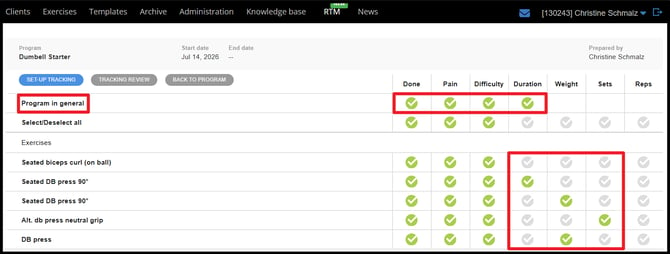
Use the Program in General option to add a single tracking parameter for the entire program or select exercises one by one for more precise settings.
Step 3 - Review Tracking Activity
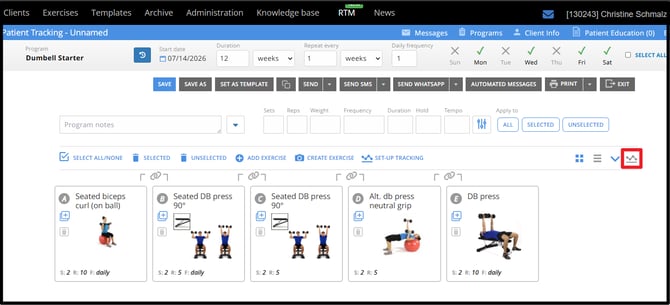
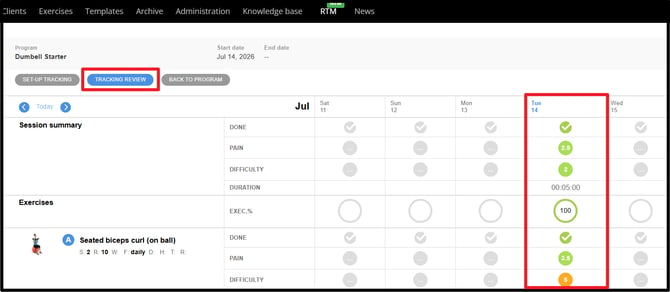
Once the patient has completed their program on the patient portal, return to the program editor page and go to the TRACKING option on the right beside the program views.
Patient Portal View
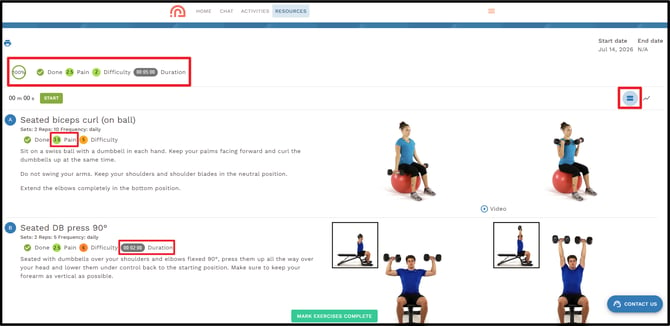
The General Program tracking settings are available at the top of the program and each individual exercise can be tracked based on the parameters you have chosen.
The patient can work in the Program View or the Tracking View.
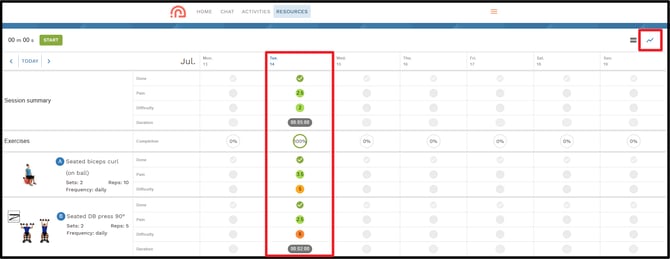
Summary
Exercise Tracking is now easier than ever to set up in Wibbi as it is located directly on the Program Editor Screen. By configuring the right tracking fields prior to sending a program, you can now better monitor patient participation, review progress and make more informed decisions throughout the plan of care.
If you have any questions about this feature or would like to provide feedback please reach out to support@wibbi.com.