.png?width=180&height=49&name=Wibbi_Primary-FullColour%20(4).png)
Watch this Video Tutorial
Step 1 - Navigate to the Exercise Program Editor Page
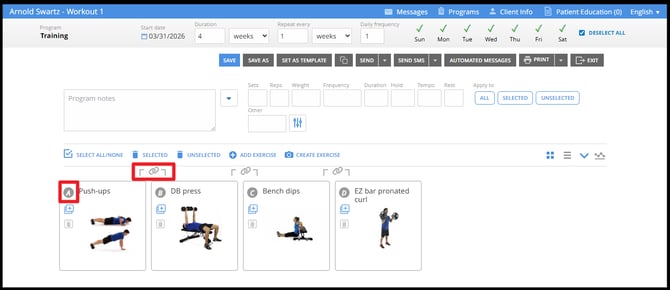
Take note of the lettering to identify each exercise and the chain link option between each exercise.
Step 2 - Create a Superset or Circuit by Linking Together Exercises
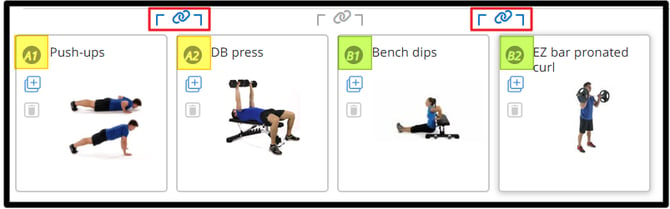
Click the Chain Link Icon between Exercises A and B to link them together. You have now created a Superset marked A1 - A2.
Skip the following Chain Link Icon to create a Break between the Supersets. The following Superset will be marked as B1 - B2.
Step 3 - Add Parameters and other Customizations
Apply parameters to your Supersets.

Step 4 - Save and Edit Tracking Settings
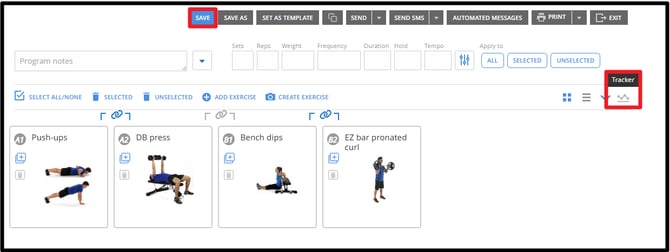
Save the program for your patient.
Go to the tracker set up if you would like to add additional tracking parameters.
The default parameters are Completion and Difficulty Rating.
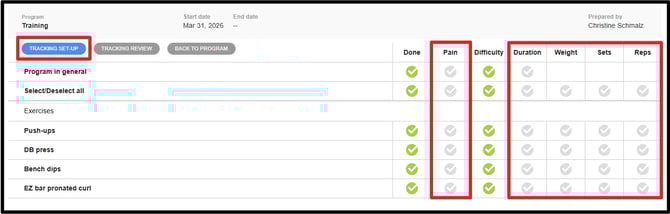
Click on Tracking Set Up and modify the parameters that are trackable by the patient.
Let's look at the Patient Experience
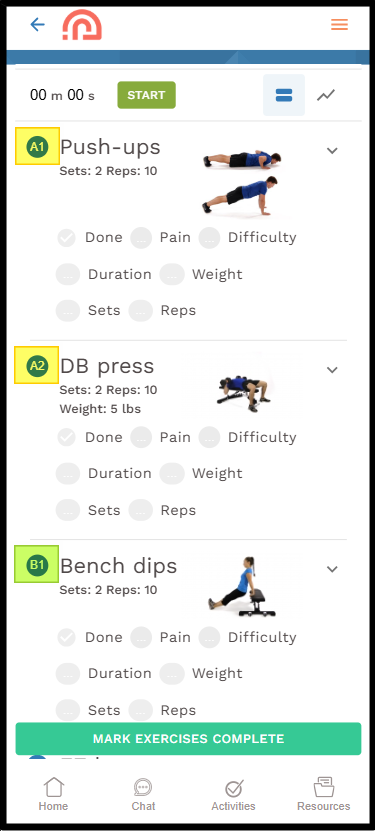
The program view shows an arrow allowing the patient to expand and see more details about each exercise including video and instructions. Each exercise is marked A1 - A2 etc.
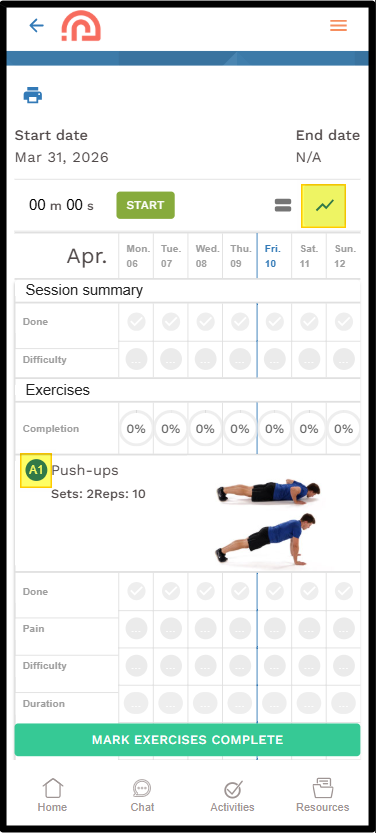
A more compact weekly view is available by switching to the tracker view.
This is a free feature available upon request. Reach out to our team today at support@wibbi.com.